Examples
This page walks through several concrete examples using the question banks
provided in examples/question_banks/. All commands below can be run
from the root of the repository with the package installed.
Math quiz (MCQ only, QR-encoded answers)
The simple_math.yaml bank contains 120 arithmetic questions spread across
four topics: integer addition, integer subtraction, integer multiplication,
and integer division.
The following command generates two randomized versions of a 20-question
quiz with a 4-column answer sheet. The --encode-answers-in-qr flag
encrypts the correct answers directly into each answer sheet’s QR code, so
no separate answer-key file is needed at grading time. -sc and -sq
shuffle choices and questions independently for each version:
pyaota build \
  --encode-answers-in-qr \
  --font-size 10pt \
  -q examples/question_banks/simple_math.yaml \
  -n 2 -nq 20 -nc 4 \
  --institution "Example University" \
  --course "MATH 101" --term "Spring 2026" \
  -en "Quiz 1" \
  -od build \
  -sc -sq
Output files in build/:
exam-<version>.pdf— one PDF per exam version (questions + answer sheet)exam_version_keys.csv— answer key for every version (kept as a backup)answer_keys-AnswerKeys.pdf— printable answer-key summaryanswersheet_layout.json— layout used by the grader; contains the encryption key needed to decode QR-embedded answersqr_<version>.png— pre-generated QR code images included in each PDF
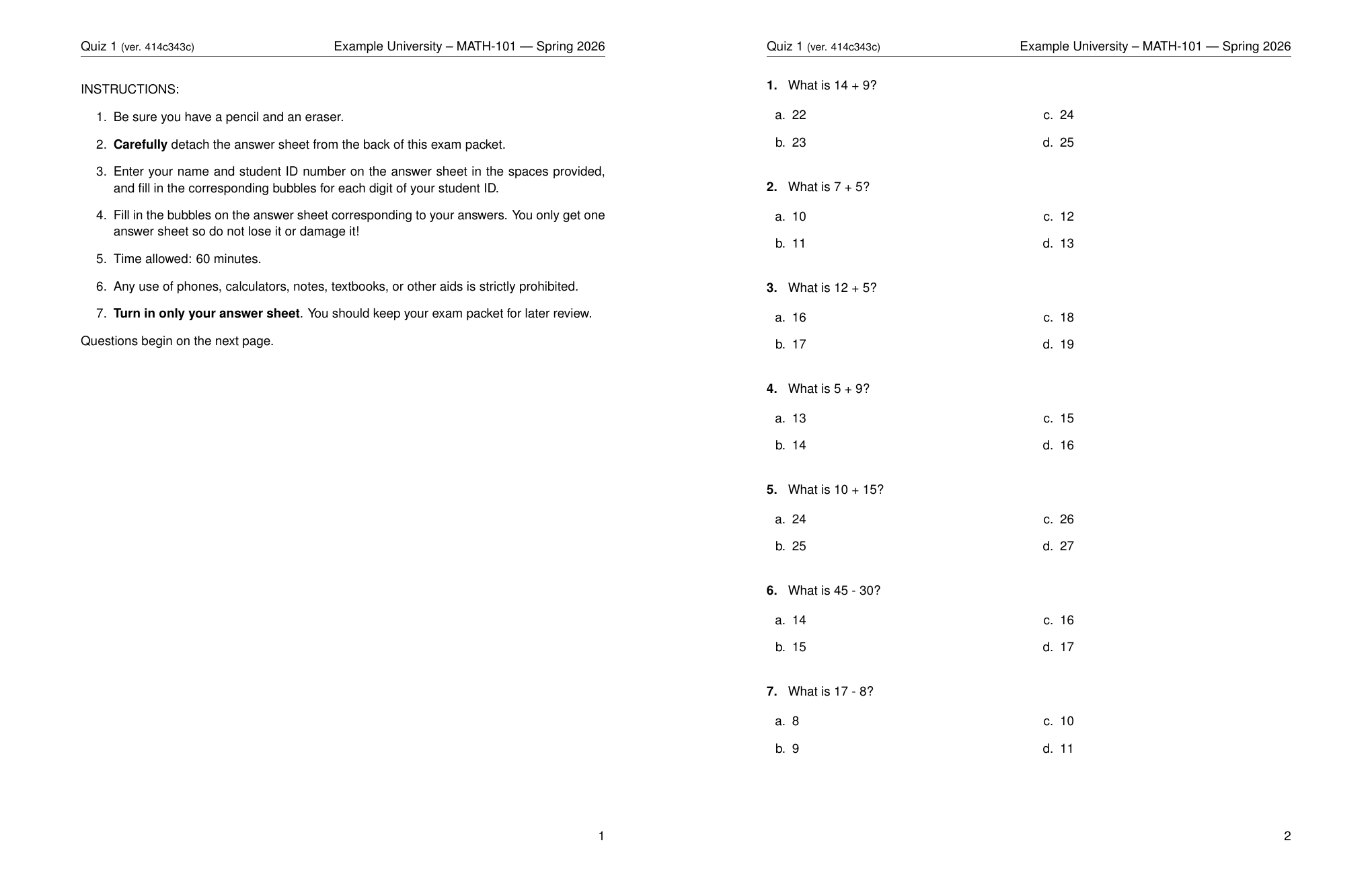
Instructions page and first questions page of a generated math quiz:
Grading the math quiz
Because the answers are embedded in each answer sheet’s QR code, no -k
keyfile is required:
pyaota grade \
    -i 1238_001.pdf \
    -alj build/answersheet_layout.json \
    -od graded
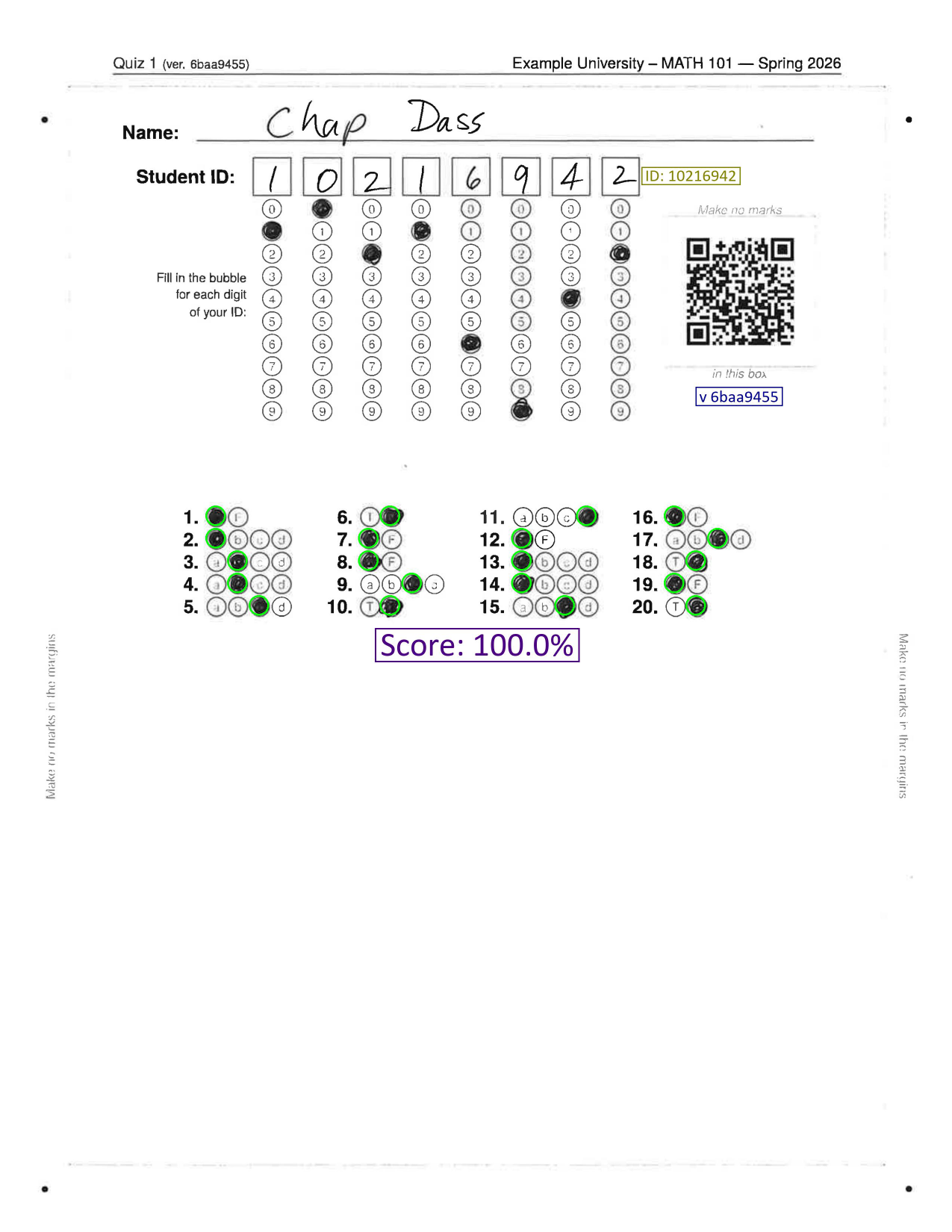
The grader reads the QR code, decrypts the answer key on the fly, and grades
the sheet entirely from information printed on the page. If a QR code cannot
be read, running with --interactive will prompt for a keyfile as a fallback.
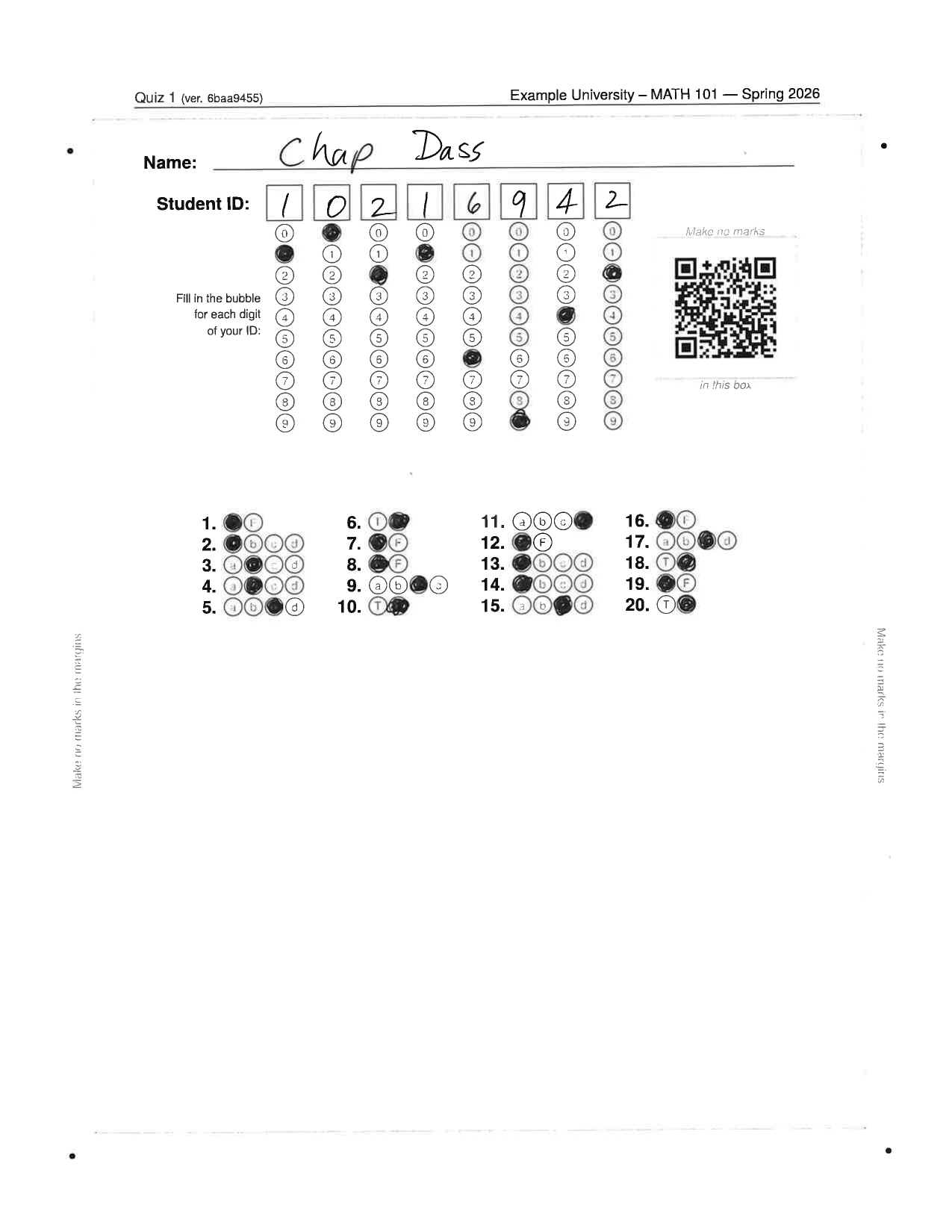
Scanned answer sheet (student ID: 10216942, version: 6baa9455):
Graded answer sheet overlay:
History quiz (MCQ + True/False, QR-encoded answers)
The simple_history.yaml bank mixes MCQ and True/False questions across
eight topics. This example generates two randomized 20-question versions
with answers encrypted into each answer sheet’s QR code:
pyaota build \
  --encode-answers-in-qr \
  --font-size 10pt \
  -q examples/question_banks/simple_history.yaml \
  -n 2 -nq 20 -nc 4 \
  --institution "Example University" \
  --course "HIST 101" --term "Spring 2026" \
  -en "Quiz 1" \
  -od examples/generated/history_exam \
  -sc -sq
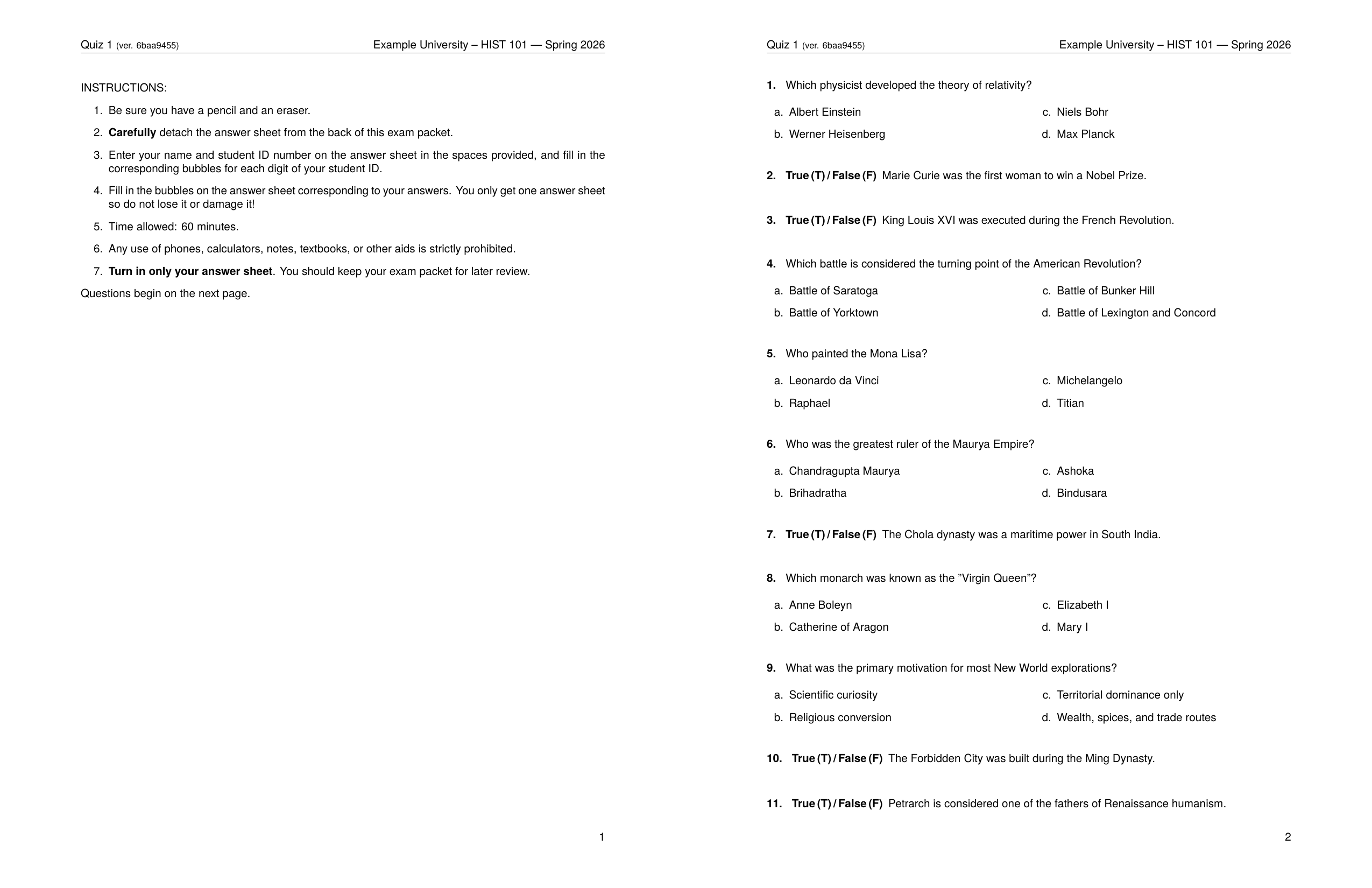
True/False questions are rendered with a bold True (T) / False (F) prefix
instead of a separate choices list, keeping the exam compact.
Instructions page and first questions page of a generated history quiz:
Grading the history quiz
Because answers are embedded in the QR code, no keyfile is needed:
cd examples/generated/history_exam
pyaota grade \
    -i 1241_001.pdf \
    -alj answersheet_layout.json
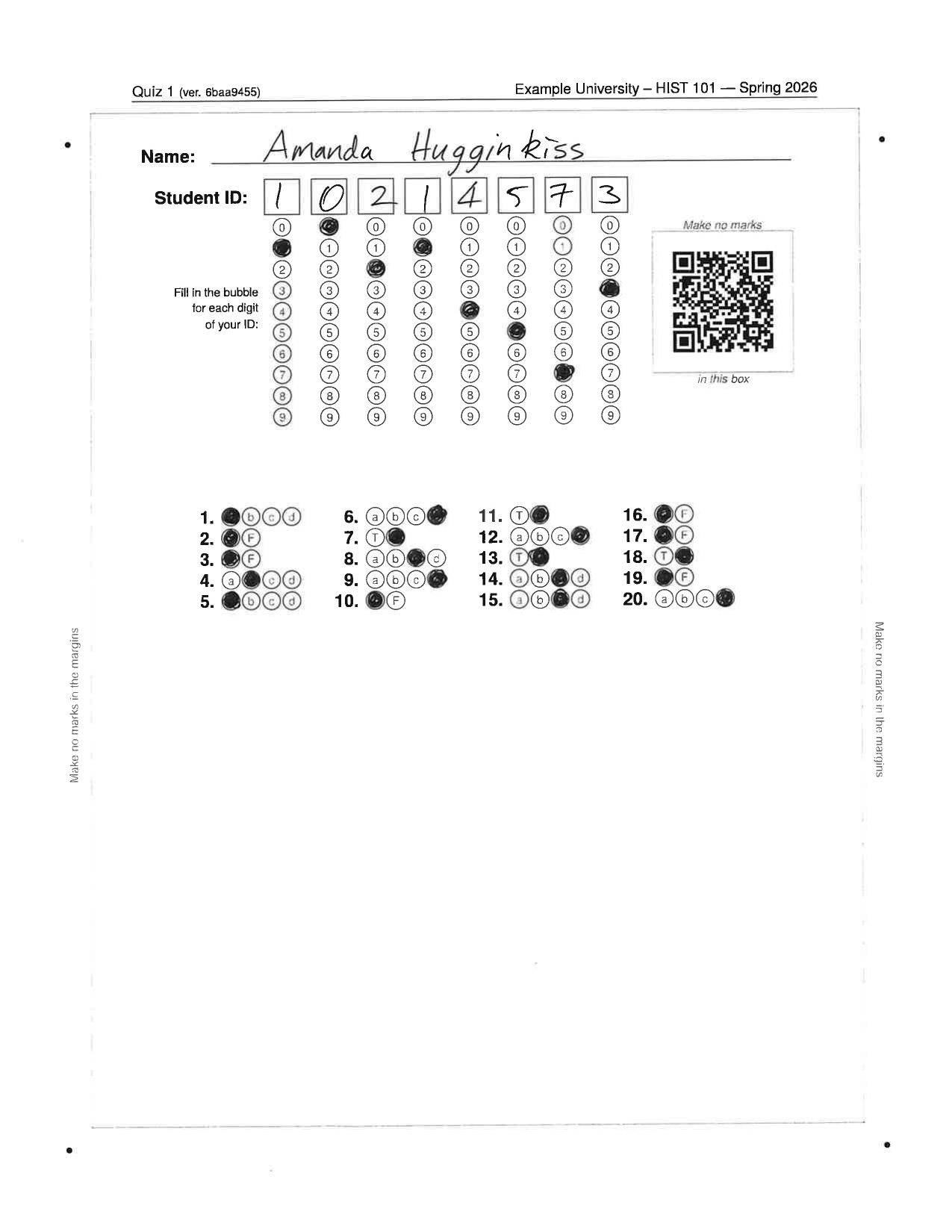
Scanned answer sheet (student ID: 10214573, version: 6baa9455):
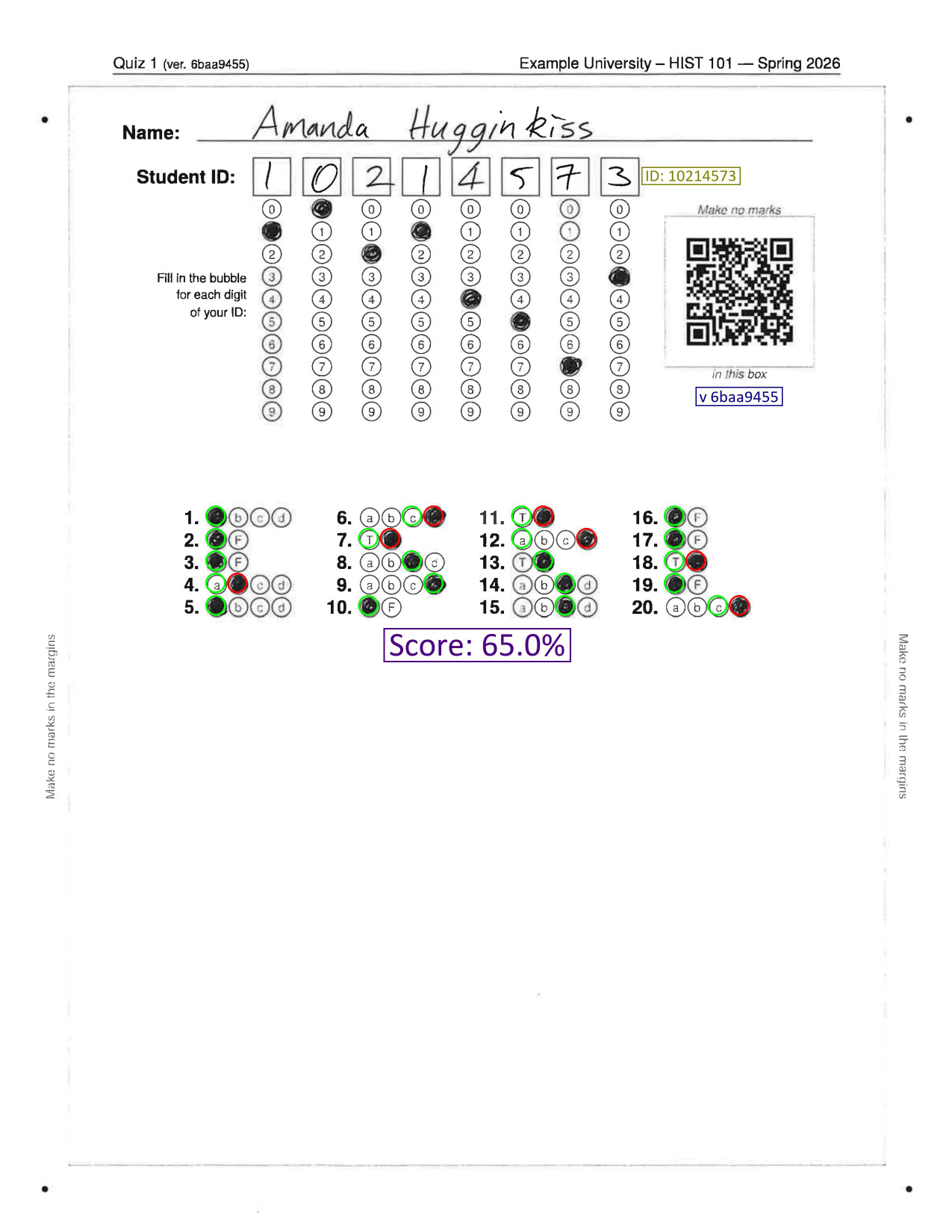
Graded answer sheet overlay:
Programming quiz (code-block stems)
The simple_javascript.yaml bank contains questions whose stems include
fenced code blocks. pyaota renders these using the lstlisting environment,
making it easy to ask students to interpret or debug code snippets.
pyaota build \
  -q examples/question_banks/simple_javascript.yaml \
  -n 1 -nq 15 -nc 3 \
  -t "Basics" "Data types" "Arrays" \
  -od examples/generated/js_exam \
  --seed 7 \
  --institution "Example University" \
  --course "CS-110" --term "Spring 2026" \
  -en "Lab Quiz" \
  --cleanup --odd-page-answersheet --font-size 11pt
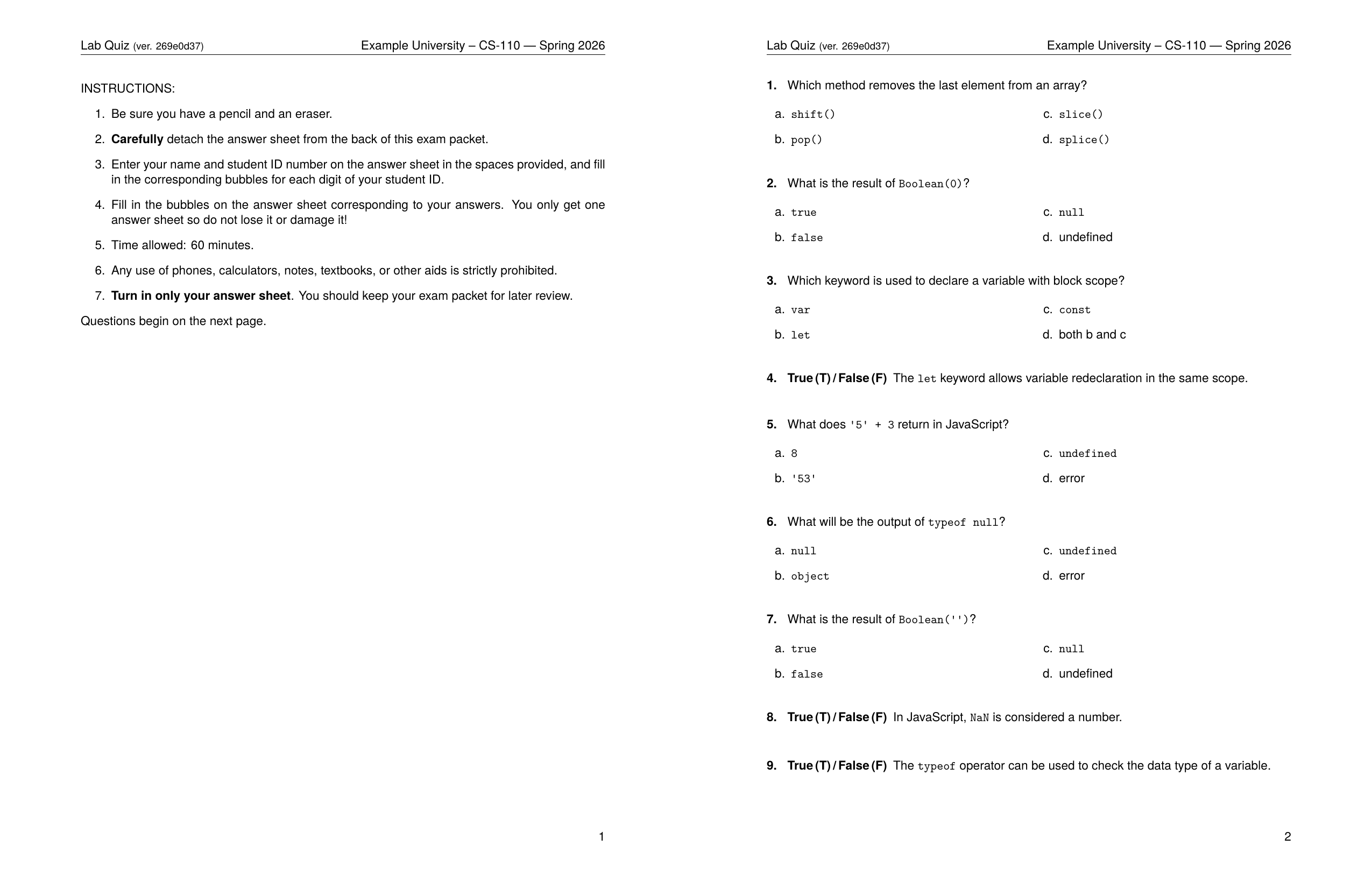
Instructions page and first questions page of a generated JavaScript quiz:
Compile-dump (review / proofreading)
The compile-dump subcommand renders every question in a bank into a single
PDF, with the correct answer highlighted. This is useful for reviewing and
proofreading your question banks before exam day.
pyaota compile-dump \
  -q examples/question_banks/simple_science.yaml \
  -od examples/generated/science_dump \
  --institution "Example University" \
  --course "SCI-101" --term "Spring 2026"
The output PDF shows each question with the correct choice circled.
Blank answer sheet
You can generate a standalone blank answer sheet without building a full exam. This is useful for printing spares or for a different question count than the default:
pyaota make-answersheet \
  -nq 20 -nc 4 -o answersheet_20q \
  -od examples/generated/answersheet
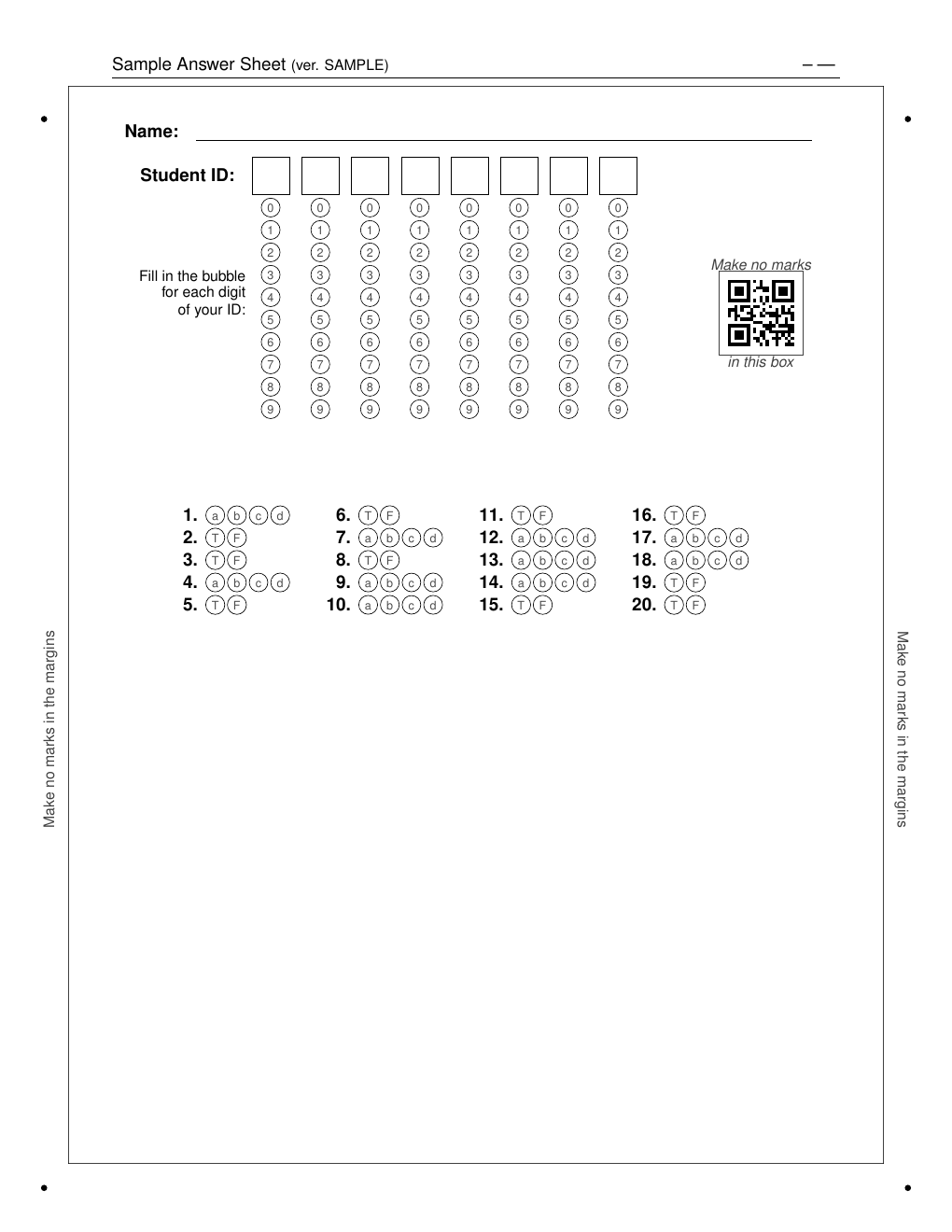
Blank 20-question answer sheet:
Answer keys summary
After a build run, pyaota produces a printable answer-key PDF listing every
version with its correct answers, suitable for use at the grading station:
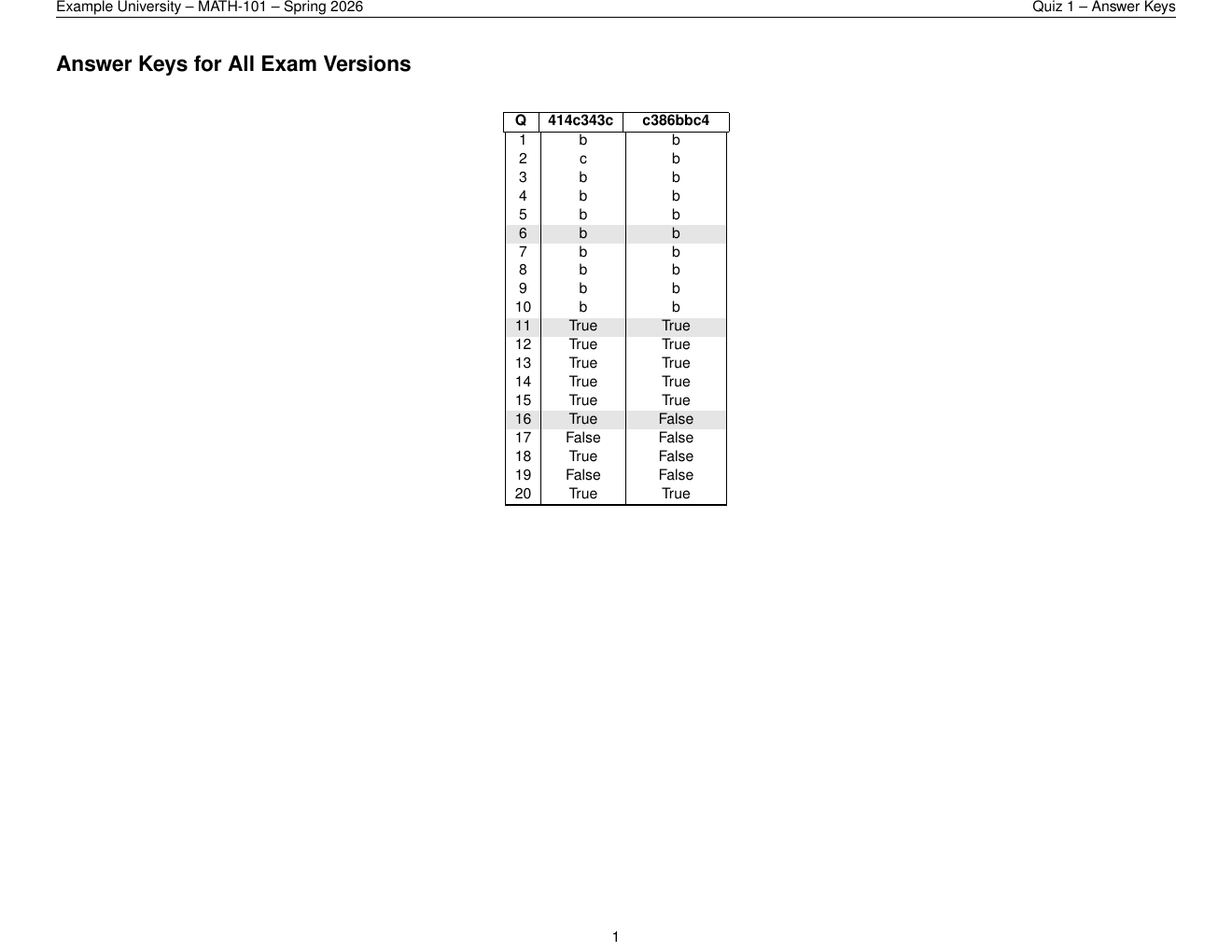
The companion exam_version_keys.csv can be passed directly to
pyaota grade via -k.
Tips
Use
--seedto make builds reproducible: the same seed always produces the same version ordering and question selection.Increase
--num-exams(-n) to generate as many unique versions as needed for a large class.Add
--encode-answers-in-qrto embed encrypted answers in each QR code — grading then requires only theanswersheet_layout.jsonfile, not a separate answer-key CSV.Add
-sc/--shuffle-choicesand-sq/--shuffle-questionsto vary question and choice ordering across versions.Add
--rasterizeif your printer struggles with the TikZ-heavy answer sheet.Add
--odd-page-answersheetfor double-sided printing so the answer sheet always falls on the right-hand (odd) page.Use
--font-size 10ptor11ptto fit more questions per page.